
Voice notes
Just say what happened
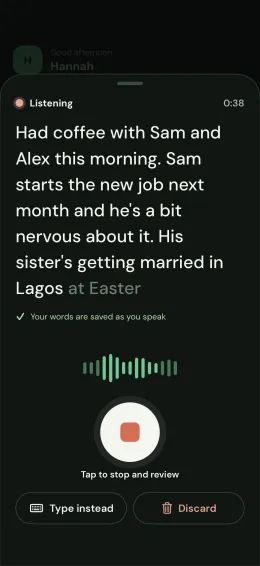
After a coffee, a call or a dinner, tap the mic and talk. Your words are saved as you speak, so nothing gets lost. Rather type? That works too.
A personal CRM for iPhone
After a coffee or a call, just say what happened. Kin tidies your words into a note, remembers what matters, and nudges you gently before anyone drifts.
Voice notes
After a coffee, a call or a dinner, tap the mic and talk. Your words are saved as you speak, so nothing gets lost. Rather type? That works too.
Tidied by AI
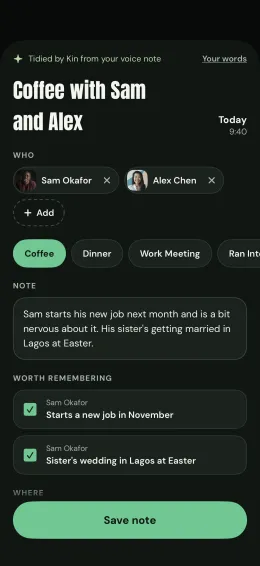
Kin tidies your words into a clear note, works out who you saw, and picks out what's worth remembering, like a new job or a child starting school.
Today
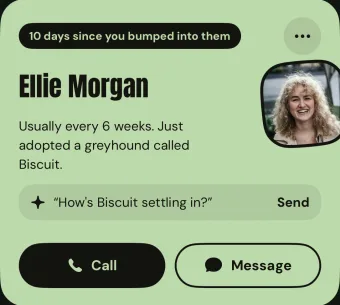
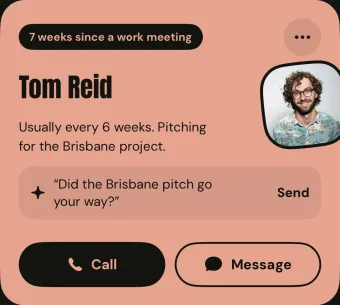
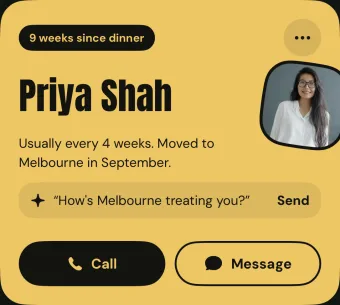
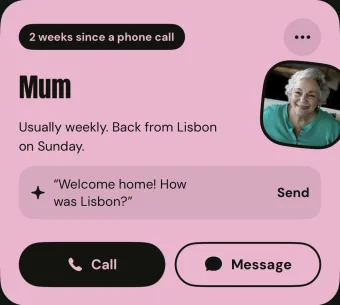
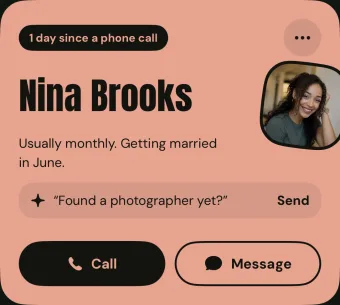
Today shows the people you haven't caught up with in a while, one card at a time. Call or message in a tap, then log it. Choose how often you'd like to be in touch, and Kin nudges you gently before anyone drifts.
Conversation openers
When someone's drifting, Kin suggests an opener drawn from your last catch-up.
Screenshots
Share a screenshot of a group chat, an invite or a business card. Kin reads who and when, and you check it before anything is saved.
Worth remembering
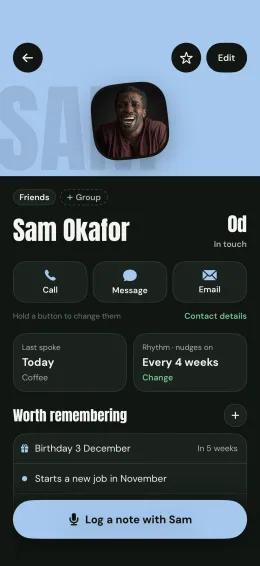
Every person has a page: what's worth remembering, their birthday, the ways you like to reach them, and every catch-up you've logged. Kin reminds you about birthdays a week before and on the day.
Widgets
Widgets for your Lock Screen and Home Screen, and a control for Control Centre, start a voice note without opening Kin.
Made to be calm
Bring people in from your Contacts, give everyone their own colour, and group them however you like. Everything syncs to your account, so a new phone picks up where you left off.
Every new account gets Kin Pro free for 7 days. No card needed, and nothing to cancel. After that, stay free or pick a plan.
A$0
A$7.99 a month
Everything in Free, plus:
A$64.99 a year
About A$5.42 a month. Paying monthly comes to A$95.88 a year.
Subscribe in the app. Subscriptions renew automatically until you cancel them in your Apple Account settings.
Prices are in Australian dollars and include GST. The App Store shows the price for your country.
Only you. Your people and notes sync to your own account, and no other Kin user can see them. Kin doesn't sell them, use them for advertising, or show you ads.
With Kin Pro, the AI features send the words of a note to Claude, made by Anthropic, to tidy them up. Anthropic doesn't train its models on them. The privacy policy has the details.
Kin Pro is free for the first 7 days of every new account, with no card and nothing to cancel. After that, Kin stays free for up to 10 people and keeps your notes in your own words. Subscribe any time to keep the AI features and add as many people as you like.
You keep everyone. On the free plan you just can't add anyone new while you have 10 or more. Kin Pro has no limit.
Kin is made for iPhone and needs iOS 26 or later. There's no Android version.
On your iPhone, open Settings, tap your name, then Subscriptions, then Kin, and choose Cancel Subscription. You keep Kin Pro until the end of the time you've paid for. Refunds are handled by Apple at reportaproblem.apple.com.
Delete a person or a note in the app and it goes from all your devices. To delete your whole account and everything in it, email support@kin-app.com.au from the address you sign in with. The support page explains what happens.